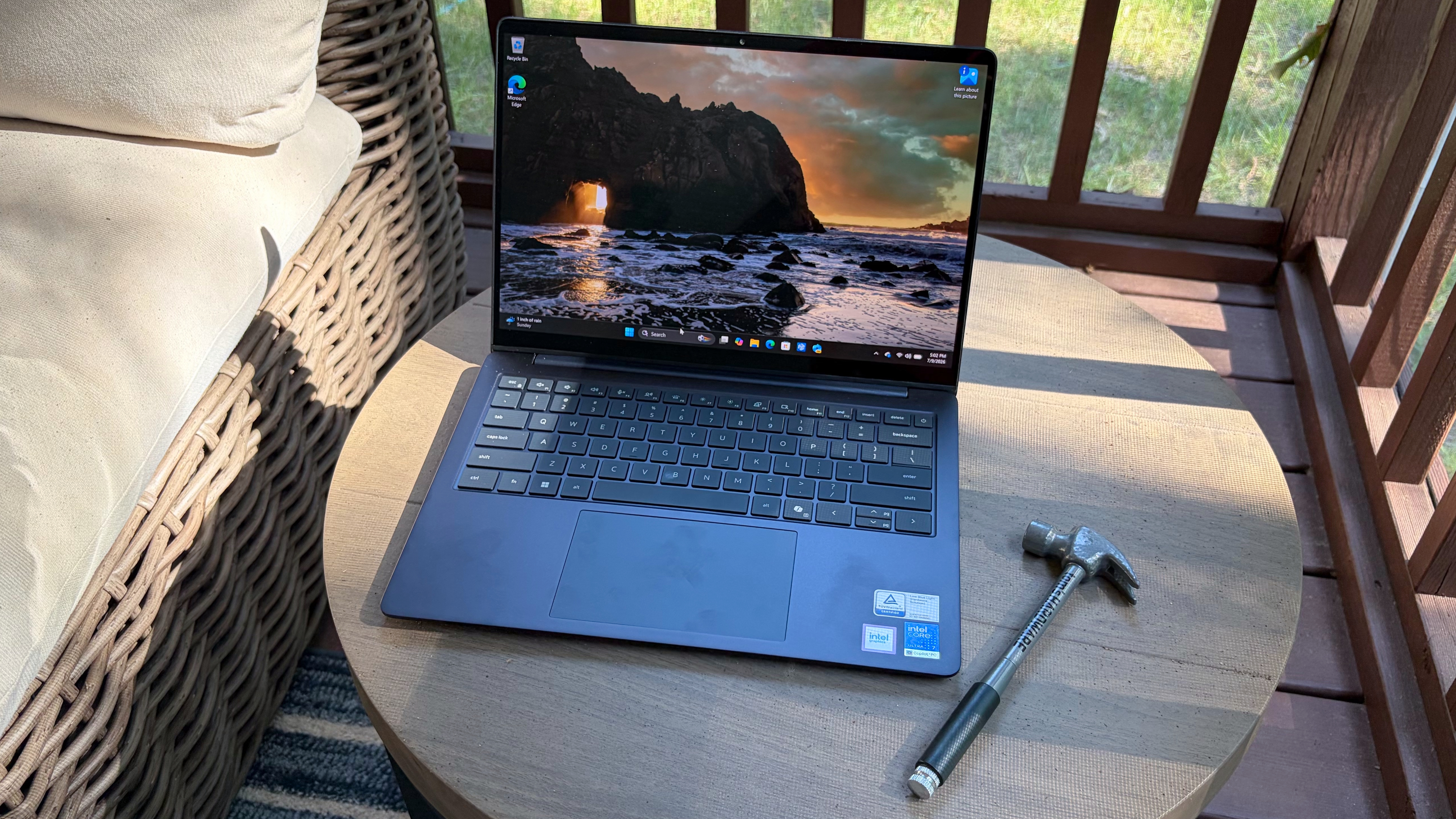
A new Dell 14S review from Tom's Hardware says Dell's mainstream 14-inch laptop gets unusually long battery life and much of the XPS 14's polish for less money, though the cheaper machine gives up some display, webcam and audio niceties.
The Dell 14S starts at $1,269.99, compared with $1,589 for the XPS 14. Tom's Hardware tested a $1,469.99 configuration with an Intel Core Ultra 7 355 processor, integrated Intel graphics, 16GB of LPDDR5x-7467 memory, a 512GB PCIe 4.0 SSD and a 14-inch 1920 x 1200 OLED touch display.
The short version: Dell did not turn the 14S into a plastic apology note. Tom's Hardware found an aluminum chassis with a matte finish, polished edges and no chassis flex. The review noted one obvious economy move, a plastic display bezel, but said the machine still felt well built. The laptop weighed 3.28 pounds and measured 12.35 x 8.82 x 0.61 inches.
Is the Dell 14S worth buying?
Tom's Hardware's testing points to the Dell 14S as a better fit for buyers who want battery life, sturdy construction and practical ports without paying XPS money. It becomes less compelling in pricier configurations, where the review says buyers may be better served by an XPS 14.
Ports are one place where the cheaper laptop is less annoying than its fancier sibling. The 14S includes two Thunderbolt 4 ports, two USB-A 3.2 Gen 1 ports, HDMI 2.1 and a 3.5 mm audio jack. The XPS 14, by contrast, uses three Thunderbolt 4 ports, according to Tom's Hardware.
Battery life is the headline number. In Tom's Hardware's test, which mixed web browsing, video streaming and OpenGL work at 150 nits, the Dell 14S lasted 20 hours and 41 minutes. That was one minute behind the XPS 14 result cited in the review, while the Apple MacBook Air with M5 reached 15 hours and 28 minutes and the Asus Zenbook A16 stayed below 10 hours and 30 minutes.
Performance was more uneven. In Geekbench, Tom's Hardware recorded 2,704 in single-core and 11,064 in multi-core for the 14S. The XPS 14 with the same processor scored 2,685 and 7,964. The Snapdragon X2 Elite-based Zenbook A16 was far ahead at 3,807 and 22,733. In a Handbrake 4K-to-1080p transcode, the 14S took 7 minutes and 22 seconds, trailing the XPS 14 by nearly 40 seconds and well behind the Zenbook A16's 2 minutes and 8 seconds.
The display was colorful but dim by current premium-laptop standards. Dell rates the OLED panel at 300 nits, and Tom's Hardware measured an average of 269 nits. The review said competing displays cleared 400 nits, with the XPS 14 hitting 466 nits. Color coverage was competitive, with the 14S reaching 84.5 percent of DCI-P3 by volume and 119.3 percent of sRGB.
There are other tradeoffs. Tom's Hardware said the keyboard was mostly quiet and springy, but the spacebar made a harsh clank. The trackpad is a conventional top-hinged unit rather than the XPS 14's haptic pad. The 2MP webcam produced acceptable color but noisy, soft images, and the 14S lacks the XPS 14's 8MP camera, quad speakers, Gorilla Glass cover and 2.8K 120 Hz OLED option.
The review also found some repair-friendly bits. Removing six screws opens the bottom panel, and the tested unit had a replaceable M.2 Wi-Fi 7 card and a Kioxia 2230 SSD in a slot that can take up to 2280 modules. Memory, however, is listed as onboard.
Dell sells the 14S with Core Ultra 5 322, Core Ultra 7 355, Core Ultra X7 358H or Core Ultra 9 386H chips, 16GB or 32GB of memory, 512GB or 1TB storage and IPS or OLED 1200p displays. Tom's Hardware singled out the tested midrange model as a sensible value, while noting that top configurations climbing toward $1,800 to $2,000 make the XPS 14 harder to ignore.
This story draws on original reporting from Tom's Hardware.