A new Framework Laptop 13 Pro review from Tom’s Hardware says the repairable notebook finally looks and feels closer to a premium machine, while its component pricing makes the whole DIY-friendly pitch harder to swallow.
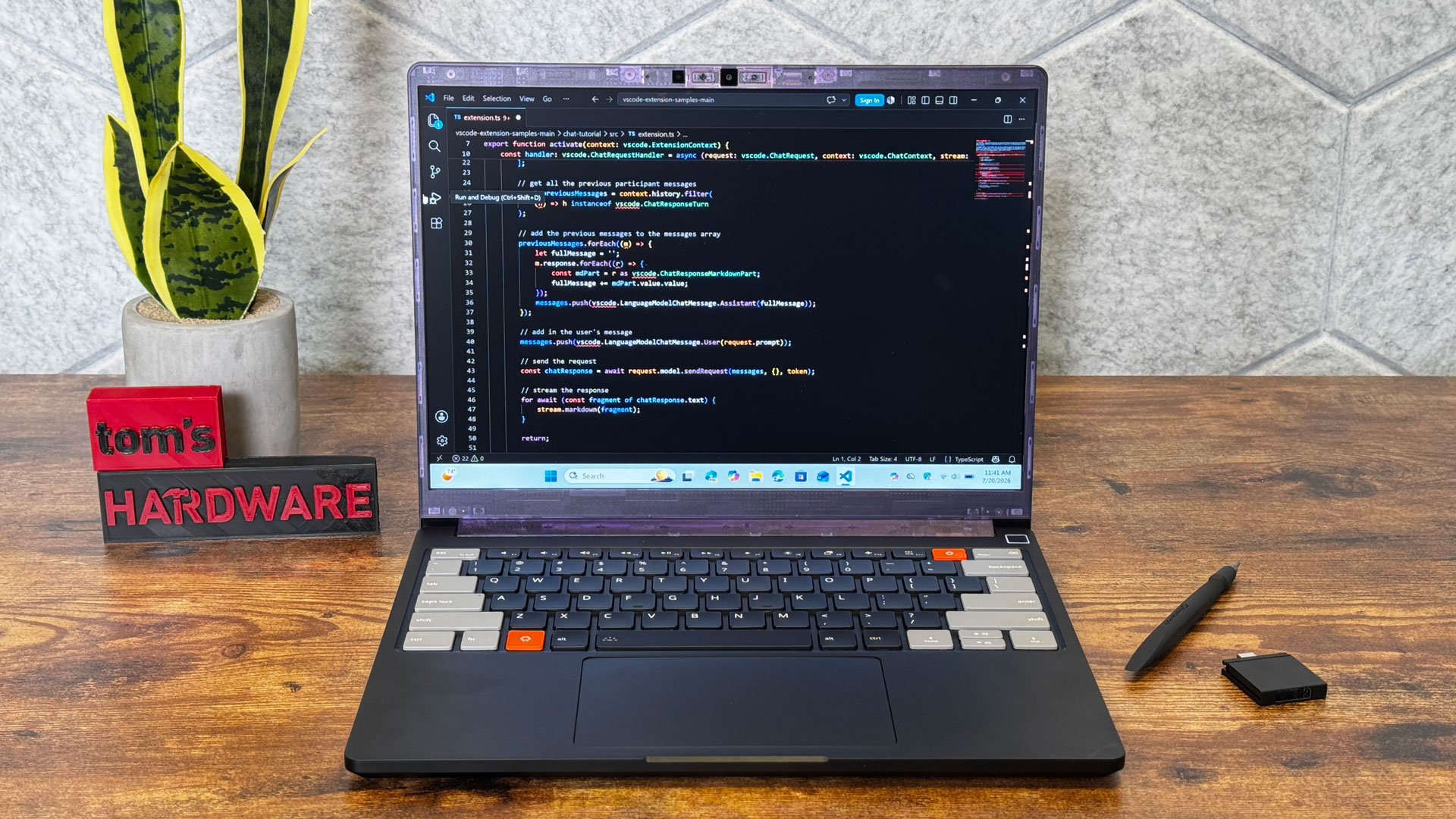
The Laptop 13 Pro is Framework’s attempt to move beyond the more flexible-feeling chassis of its earlier 13-inch systems. Tom’s Hardware tested a DIY configuration with Intel’s Core Ultra X9 388H, 64GB of LPCAMM2 memory and a 2TB WD Black SN7100 SSD, running Windows 11 for benchmarking.
The biggest visible change is the body. The review says the CNC-machined aluminum chassis is much stiffer than the older Framework Laptop 13, with a black finish, a firmer keyboard deck and a more premium feel overall. The tradeoff, according to Tom’s Hardware, is that the magnetically attached plastic display bezel still looks less polished than the rest of the machine.
Is the Framework Laptop 13 Pro easy to upgrade?
Tom’s Hardware says Framework’s modular design remains the point of the product. The DIY model can be opened with the included Torx T5 screwdriver, and buyers can install storage, memory, the input cover, bezel and expansion cards themselves.
The review flags one catch: LPCAMM2 memory is less common than standard SO-DIMM laptop memory. On the Intel model tested, installation required careful alignment with an interposer under a nearby display ribbon cable. AMD Ryzen AI 300 versions use SO-DIMMs instead, which should be easier for buyers who already have compatible memory or want more sourcing options.
Framework’s swappable expansion-card ports also remain, with four slots running over USB-C and Thunderbolt 4 on the Intel system. Tom’s Hardware notes that AMD configurations should avoid placing USB-A cards in the rear slots because those cards draw more power there.
Performance and battery are strong, with heat in the bill
In Tom’s Hardware’s tests, the Core Ultra X9 388H configuration scored 2,952 in Geekbench 6 single-core and 14,965 in multi-core. The review found single-core performance close to an Asus Zenbook Duo using the same chip, while the Zenbook pulled ahead in multi-core, likely helped by better cooling. The Framework system uses a single fan.
The Framework system led the comparison group in Tom’s Hardware’s 25GB file copy test, reaching 2,800.33 MBps with its WD Black SN7100 SSD. It converted a 4K video to 1080p in 4 minutes and 9 seconds in Handbrake.
Battery life was one of the cleaner wins. With a 74.45 Wh battery, the Laptop 13 Pro lasted 15 hours and 55 minutes in Tom’s Hardware’s web, video and light OpenGL battery test at 150 nits. Only the M5 MacBook Pro in the comparison group lasted longer, at 18 hours and 14 minutes.
Heat is the tax. During a Cinebench 2026 stress test, Tom’s Hardware measured 110 degrees Fahrenheit on the keyboard, 117 F on the bottom and an average CPU temperature of 90.1 degrees Celsius, with throttling reported during much of the later test run.
The screen is the standout upgrade
The 13.5-inch touchscreen is Framework’s first custom display for this line, according to Tom’s Hardware. It has a 2880 x 1920 resolution, a 3:2 aspect ratio and a variable 30 Hz to 120 Hz refresh rate.
Tom’s Hardware measured 709 nits of brightness, ahead of the MacBook Pro’s 558 nits and the OLED panels in the Asus Zenbook Duo and HP OmniBook Ultra 14 in its comparison set. The panel covered 114.3% of sRGB and 81% of DCI-P3, close to the MacBook Pro’s color-volume result in the review.
The keyboard offers 1.5 mm of travel, though Tom’s Hardware found the keys somewhat stiff. The haptic touchpad is a major improvement over Framework’s older mechanical pads, the review says, but it could flex visibly in the keyboard deck. The side-firing speakers sounded acceptable for personal listening, though the touchpad could vibrate while music played.
Pricing weakens the repairability argument
The review’s sharpest criticism is cost. Tom’s Hardware tested a DIY configuration priced at $1,799 before memory, storage, operating system and expansion cards. When testing began, buying the full tested parts set from Framework put the machine at about $3,272. After Framework nearly doubled the memory price from $849 to $1,600, the same configuration rose to roughly $4,023, without Windows.
Framework told Tom’s Hardware through a PR representative that the Core Ultra X9 version was backordered and that the company was working with Intel for more allocation, with no timing to share. The review also notes that Framework has said its Core Ultra X7 and X9 chip prices are rising.
Tom’s Hardware’s verdict is blunt by implication: the Laptop 13 Pro is Framework’s best-built laptop yet, with a bright display, long battery life and real repairability. The awkward part is that repairable hardware loses some of its charm when the parts bin starts looking like a luxury counter.
This story draws on original reporting from Tom's Hardware.