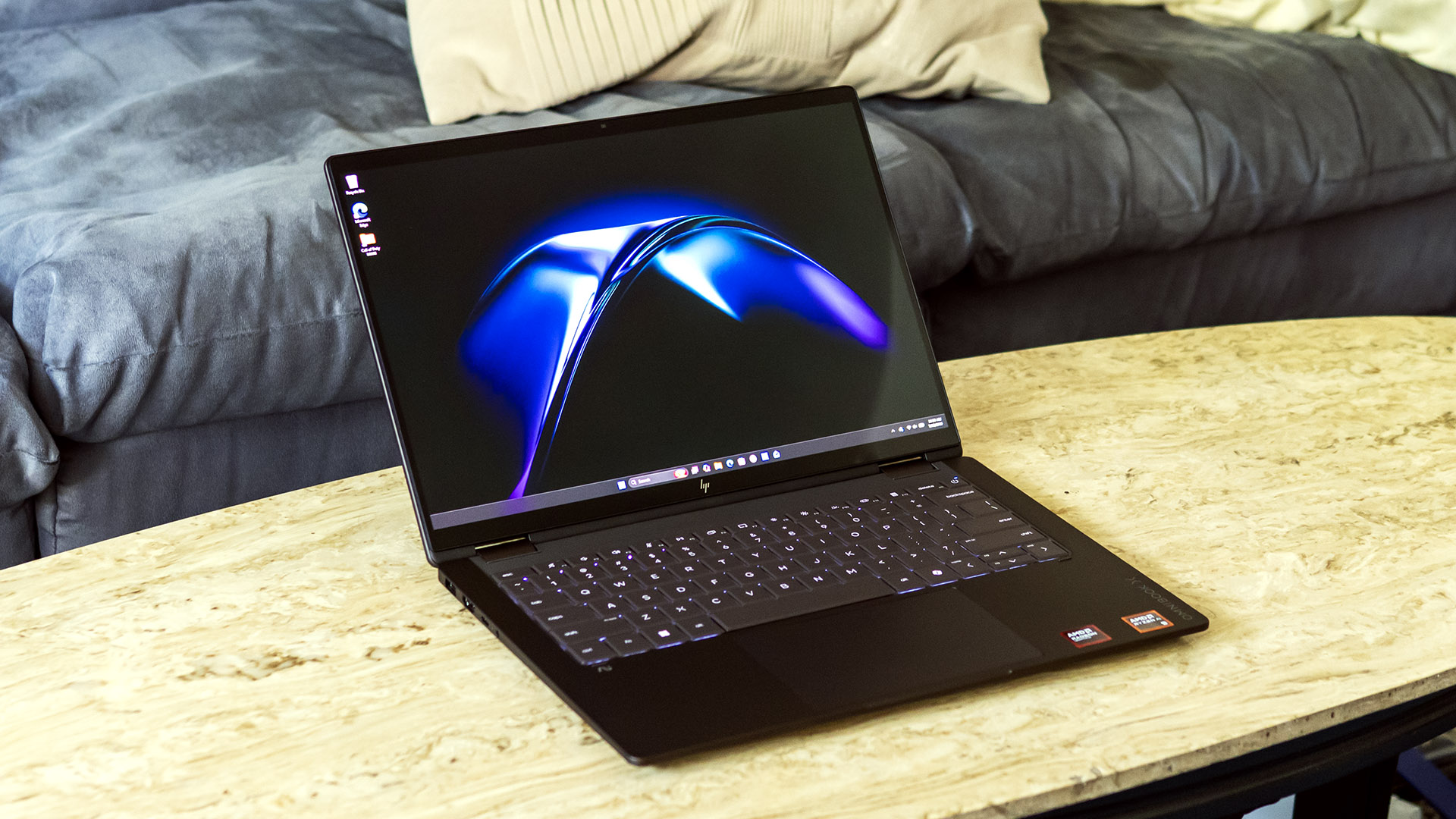
A new HP OmniBook X Flip 14 review from Tom’s Hardware says HP’s 14-inch convertible looks and feels like a premium Windows machine, but its tested $2,599.99 configuration does not back that up with class-leading speed or display brightness. The laptop starts at $1,399.99, and the reviewed model used AMD’s Ryzen AI 9 465, 32GB of LPDDR5X memory and a 2TB SSD.
HP’s hardware gets the easy part right. Tom’s Hardware described the metal chassis as solid, with a deep espresso finish and an alternate atmospheric blue option. HP also claims a MIL-STD-810H durability rating. The machine measures 12.32 x 8.6 x 0.57 inches and weighs 3.09 pounds, putting it near Dell’s XPS 14 by weight, though heavier than Lenovo’s Yoga Slim 7i. The difference is the hinge: HP’s display folds 360 degrees, so it can work as a tablet or tented screen when a regular laptop shape is annoying, such as in an airplane seat.
The port selection is practical rather than lavish: two USB4 ports, one 10 Gbps USB-A port, HDMI 2.1 and an audio jack. The 65 W USB-C charger can plug into either USB4 port, and the Realtek 8922AE-VS wireless card supports Wi-Fi 7.
Is the HP OmniBook X Flip 14 worth it?
Tom’s Hardware’s conclusion is conditional: the OmniBook X Flip 14 is worth considering if the 2-in-1 design matters, but the tested configuration is a hard sell for pure performance or display value. Lenovo’s Yoga Slim 7i offered a better screen for less, while Dell’s XPS 14 delivered stronger performance with shorter battery life.
In benchmarks, the HP landed in the middle-to-lower part of the comparison group. It scored 13,734 in Geekbench multi-core and finished a Handbrake 4K-to-1080p transcode in 4 minutes and 56 seconds. That beat the Core Ultra 7 355-based Yoga Slim 7i, but trailed Dell’s Core Ultra X7 358H XPS 14, Apple’s M5 MacBook Pro and Lenovo’s Snapdragon X2 Elite Yoga Slim 7x. Its 25GB file transfer averaged 1,477.3 MBps, close to the Dell but behind the Lenovo, Apple and Snapdragon systems.
The integrated Radeon 880M graphics were also limited. In 3DMark Steel Nomad, Tom’s Hardware found it ahead of the Yoga Slim 7i’s Intel graphics, but well behind the Yoga Slim 7x, MacBook Pro and XPS 14.
The reviewed 1920 x 1200 OLED touchscreen was colorful, but dim. HP rates that panel at 300 nits, and Tom’s Hardware measured 266 nits. HP offers a 2880 x 1800 OLED option rated for 500 nits in SDR, 1,100 nits in HDR and 120 Hz refresh, versus 60 Hz on the lower-resolution panels. The site noted that the sharper panel cost $80 more through HP’s configurator, making it the more sensible pick.
Battery life was a cleaner win. In Tom’s Hardware’s test, with web browsing, OpenGL workloads and video streaming at 150 nits over Wi-Fi, the OmniBook ran for 14 hours and 53 minutes. That beat the Dell XPS 14 but fell short of the Yoga Slim 7i, MacBook Pro and Yoga Slim 7x.
Other findings were more straightforward. The keyboard was comfortable, the mechanical touchpad was predictable, the speakers were decent for a laptop, and the 1080p IR webcam handled a bright background well. Upgrade access includes the M.2 2280 SSD, M.2 2230 wireless card and battery, but not memory. HP includes a one-year warranty, plus several apps including HP’s support app, Omni+, HP Smart, HP TV+ and a McAfee trial.
This story draws on original reporting from Tom's Hardware.