Tom's Hardware has documented an MSI Claw 8 SSD upgrade that replaces the handheld gaming PC's stock 1TB drive with a 2TB PNY CS2150 PCIe 5.0 SSD. The swap addresses the obvious annoyance in an otherwise high-end device: the tested $1,800 MSI Claw 8 EX AI+ had only 128GB free out of 953GB after a handful of Steam and Xbox Store installs.
The outlet had previously reviewed the MSI Claw 8 EX AI+ and said it delivered stronger gaming performance than other handhelds it had tested, with strong battery life as well. Storage was the weak point. A 1TB SSD sounds tolerable until modern PC games start eating it in chunks, at which point the Windows handheld becomes a tiny storage-management chore.
How do you upgrade the MSI Claw 8 EX AI+ SSD?
Tom's Hardware used a 2TB PNY CS2150 SSD that was already installed in an Orico Thunderbolt 5 enclosure. The handheld's own controls could have handled the cloning process, but the outlet used an OWC Thunderbolt 5 Dock with a Logitech wireless keyboard and mouse to make Windows 11 less miserable on the 8-inch screen.
The setup used both ports on the top edge of the handheld. The OWC dock connected to one Thunderbolt 4 port, with the Logitech USB-A receiver plugged into the dock. The Orico enclosure containing the 2TB SSD connected to the second Thunderbolt 4 port.
For cloning, Tom's Hardware used the freeware version of Macrium Reflect 8 after finding recommendations for it in a Reddit thread. In Reflect, the existing Windows C: drive appeared as the source, while the external CS2150, named Orico and mounted as D: in Windows 11, was selected as the destination.
The cloning job copied the EFI and Windows partitions to the 2TB SSD. Reflect displayed a BitLocker encryption warning, which the outlet acknowledged before running the job. The software also warned that the destination drive would be overwritten. The copy took about an hour and a half, after which the handheld was shut down and all accessories were disconnected.
What hardware was used for the clone?
- MSI Claw 8 EX AI+ handheld gaming PC
- 2TB PNY CS2150 PCIe 5.0 SSD
- Orico SSD Thunderbolt 5 enclosure
- OWC Thunderbolt 5 Dock
- Logitech wireless keyboard and mouse
- Macrium Reflect 8 freeware for Windows 11
The physical swap was conventional M.2 surgery. Tom's Hardware removed six screws from the back panel, used a plastic pry tool to open the case, removed the single screw holding the stock 1TB SSD, and pulled that drive from the M.2 slot. The 2TB SSD was then removed from the Orico enclosure, inserted into the handheld's M.2 slot, and secured with the same screw before the back panel went back on.
After the swap, the MSI Claw 8 EX AI+ booted normally, and Windows 11 did not show activation errors, according to Tom's Hardware. The first storage check, however, still showed the old capacity: 128GB free out of 953GB. The likely culprit was the cloned partition size carrying over from the 1TB drive.
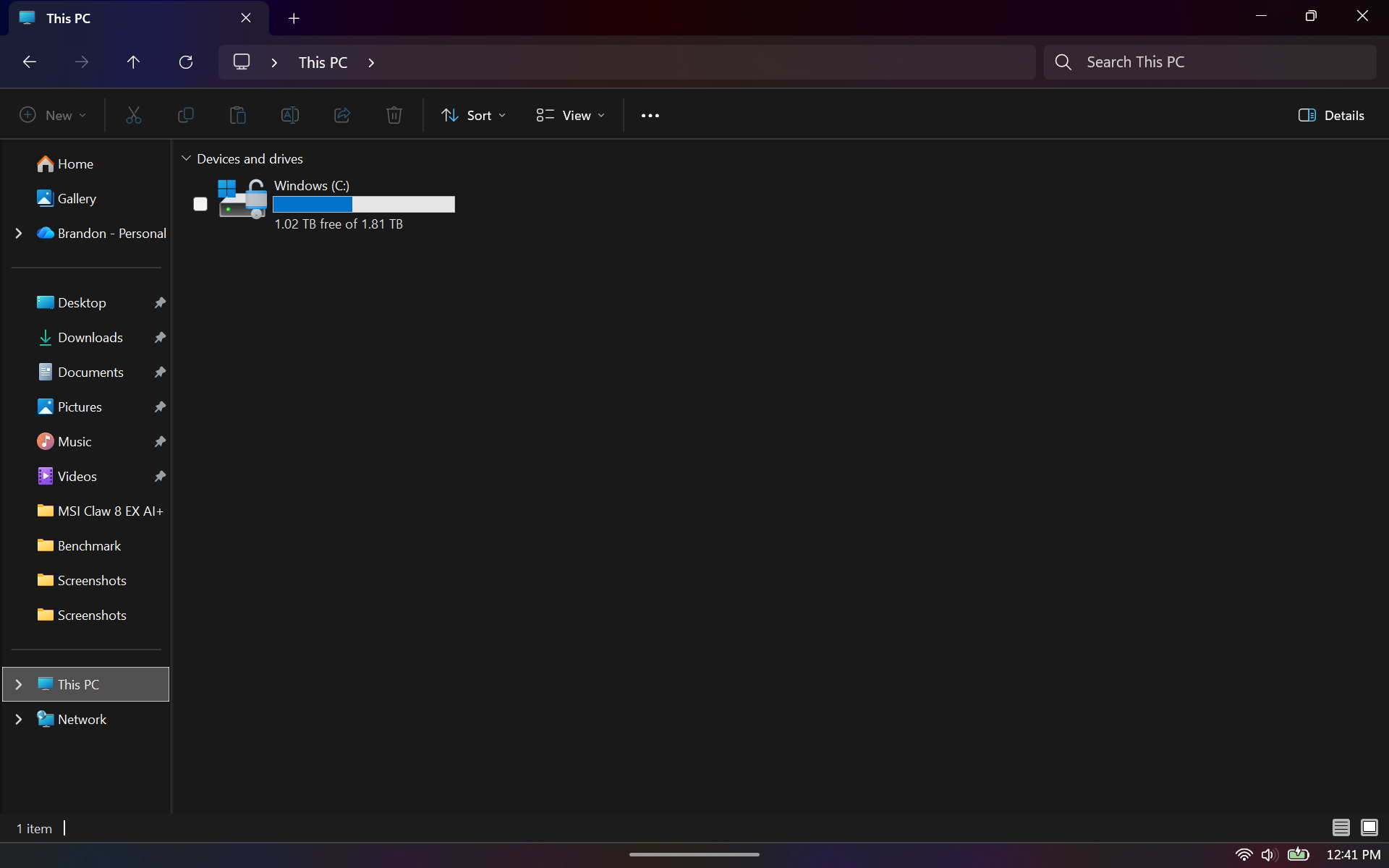
The fix came from Windows Disk Management. Tom's Hardware selected the Windows C: partition and used Extend Volume to claim the unallocated space on the larger SSD. After that, Windows reported the full usable 2TB-class capacity, shown as 1.81TB, with 1.02TB free for more game installs.
This story draws on original reporting from Tom's Hardware.