Old drive external storage is not just drawer-cleaning cosplay. Tom's Hardware tested several retired and current drives in USB enclosures and found that, with the right match of drive and enclosure, a do-it-yourself external SSD can come close to or beat retail external drives that cost far more.
The test comes as Tom's Hardware says AI-related demand has pushed up prices for external SSDs and flash drives, with some popular models harder to find. The premise was practical: many PC builders and laptop upgraders already have a 2.5-inch hard drive, SATA SSD or M.2 SSD sitting unused. A cheap enclosure can turn that hardware into portable storage.
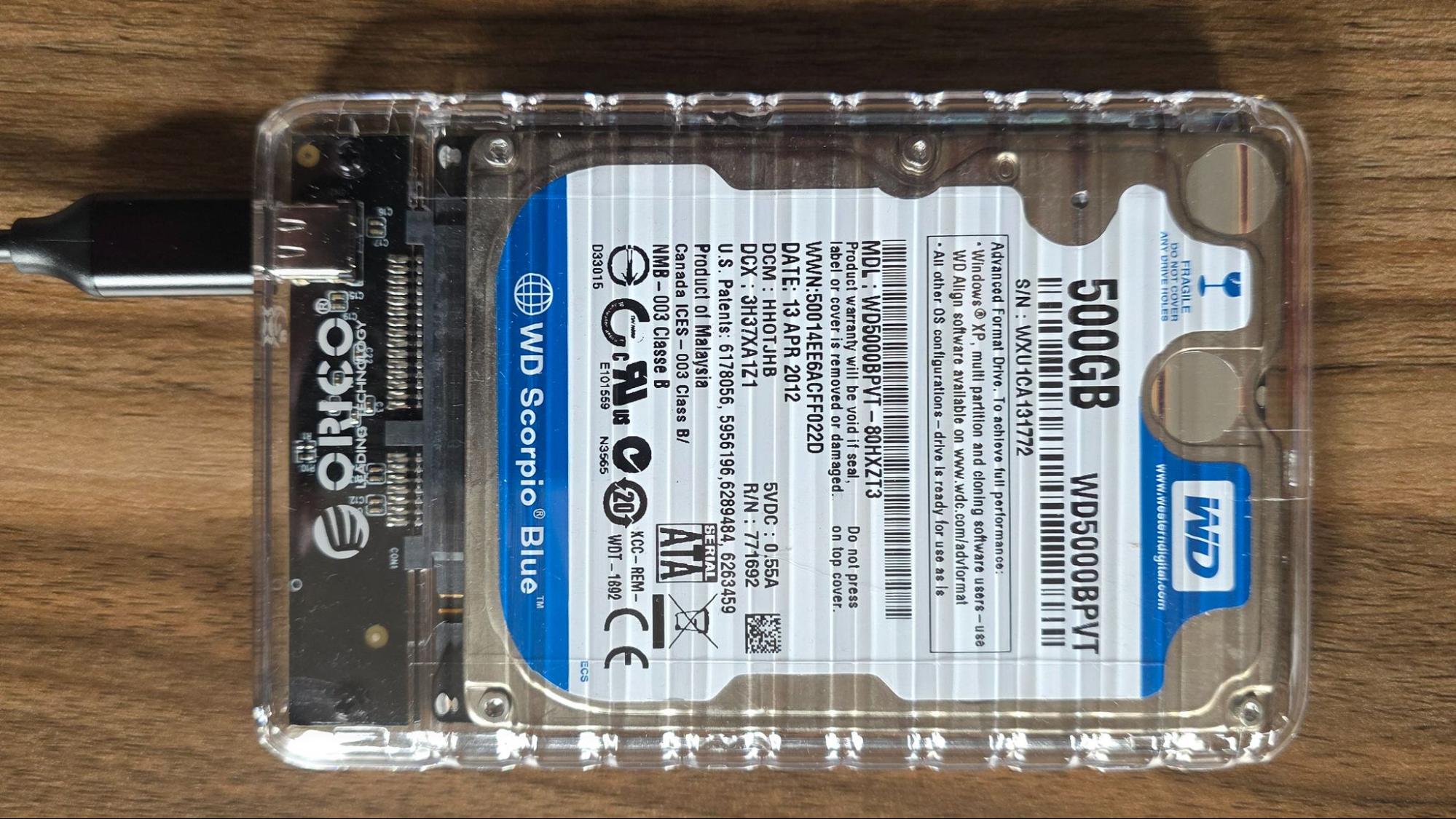
Tom's Hardware used four drives: a 500GB Western Digital WD5000BPVT 2.5-inch hard drive from around 2011, a 512GB Samsung 850 Pro SATA SSD from 2014, a 2TB Intel 660p PCIe 3.0 NVMe SSD, and a 1TB Gigabyte Aorus 12000 PCIe 5.0 SSD. The enclosures ranged from a low-cost 5Gbps Orico 2.5-inch SATA case to a 10Gbps Lemorele M.2 enclosure, a 20Gbps Asus ROG Strix Aiolos M.2 enclosure and a 40Gbps OWC Express 1M2 USB4 enclosure.
Can old drives be used as external storage?
Yes. An enclosure gives an internal drive a USB connection and power path, so a PC sees it as an external disk. The catch is boring but decisive: the drive type, enclosure controller and USB port all set the ceiling, and the slowest one wins.
In CrystalDiskMark sequential testing, the old Western Digital hard drive landed below 90MB/s for reads and writes in the Orico enclosure. That is backup-drive territory, acceptable for occasional file moves but not something anyone should confuse with modern SSD performance.
The Samsung 850 Pro did much better in the same 2.5-inch enclosure, running four to five times faster than the hard drive. Tom's Hardware noted that sub-500MB/s results are modest by current SSD standards, but still useful for mainstream transfers and even running applications.
The Intel 660p showed why old NVMe drives are the sweet spot. In the 10Gbps enclosure it passed 1,000MB/s for reads and writes in CrystalDiskMark, close enough to a 10Gbps Kingston Dual Portable SSD that benchmarks mattered more than normal use. In the 20Gbps Asus enclosure, the same Intel drive approached 2,000MB/s and trailed the Crucial X10 by only about 5% in the synthetic sequential test.
At the high end, the Aorus PCIe 5.0 SSD inside OWC's USB4 enclosure topped 3,700MB/s for sequential reads and writes. Tom's Hardware found its writes beat Corsair's EX400U USB4 external SSD, while reads were about 10% behind in that specific test.
The real-world DiskBench transfer test used a 50GB set of 4,617 files, including images, videos and software ISO files. There, the Intel 660p in the 10Gbps enclosure beat the Kingston flash-drive-style SSD, and the same Intel drive in the 20Gbps Asus enclosure beat the Crucial X10, especially on reads. The Aorus-plus-OWC USB4 setup was nearly 38% faster on reads and almost 70% faster on writes than Corsair's EX400U, according to Tom's Hardware.
There are port gotchas, because USB naming remains a committee's revenge on humanity. Tom's Hardware warned that 20Gbps USB 3.2 Gen 2x2 devices need an actual Gen 2x2 port to reach full speed. A USB4 or Thunderbolt port may still cap such a drive at 10Gbps because the signaling is different.
The practical answer is tiered. A spare hard drive is fine for basic backups. A SATA SSD in a cheap 2.5-inch enclosure is a useful low-cost portable drive. A PCIe 3.0 NVMe SSD in a 10Gbps or 20Gbps case can rival much pricier external SSDs. A fast PCIe 4.0 or 5.0 SSD in a USB4 enclosure can compete with top retail models, though buying both parts still costs real money.
Tom's Hardware also gave the necessary killjoy warning: check an old drive's health before trusting it with irreplaceable files. A retired boot drive may have plenty of life left, or it may be waiting for the worst possible week to die.
This story draws on original reporting from Tom's Hardware.