A Thunderbolt 5 dock under 400 dollars is no longer restricted to the bare-minimum port brick. In testing published by Tom’s Hardware, UGREEN’s Revodok Maxidok came out ahead of similarly priced docks from Keychron and Plugable because it adds an internal M.2 NVMe SSD slot, two downstream Thunderbolt 5 ports and active cooling.
The comparison covered three docks with street prices below $400: the Plugable TBT-UDH2 at $349.95, the Keychron TB5D-1 at $349.99 and the UGREEN Revodok Maxidok at $389.99 after coupon. UGREEN lists the Revodok Maxidok at $499.99, but Tom’s Hardware evaluated it at its lower street price.
A Thunderbolt dock gives a laptop one cable for charging, displays, networking, card readers and USB devices. That matters on thin laptops, where the port selection can be mean enough to make a dongle drawer look like infrastructure.
Which Thunderbolt 5 dock under $400 performed best?
Tom’s Hardware’s tester picked the UGREEN Revodok Maxidok as the most versatile of the three. The dock is the only model in the test with a native DisplayPort 2.1 output and the only one with an internal PCIe 4.0 M.2 slot for adding an NVMe internal SSD, with support listed up to 8TB.
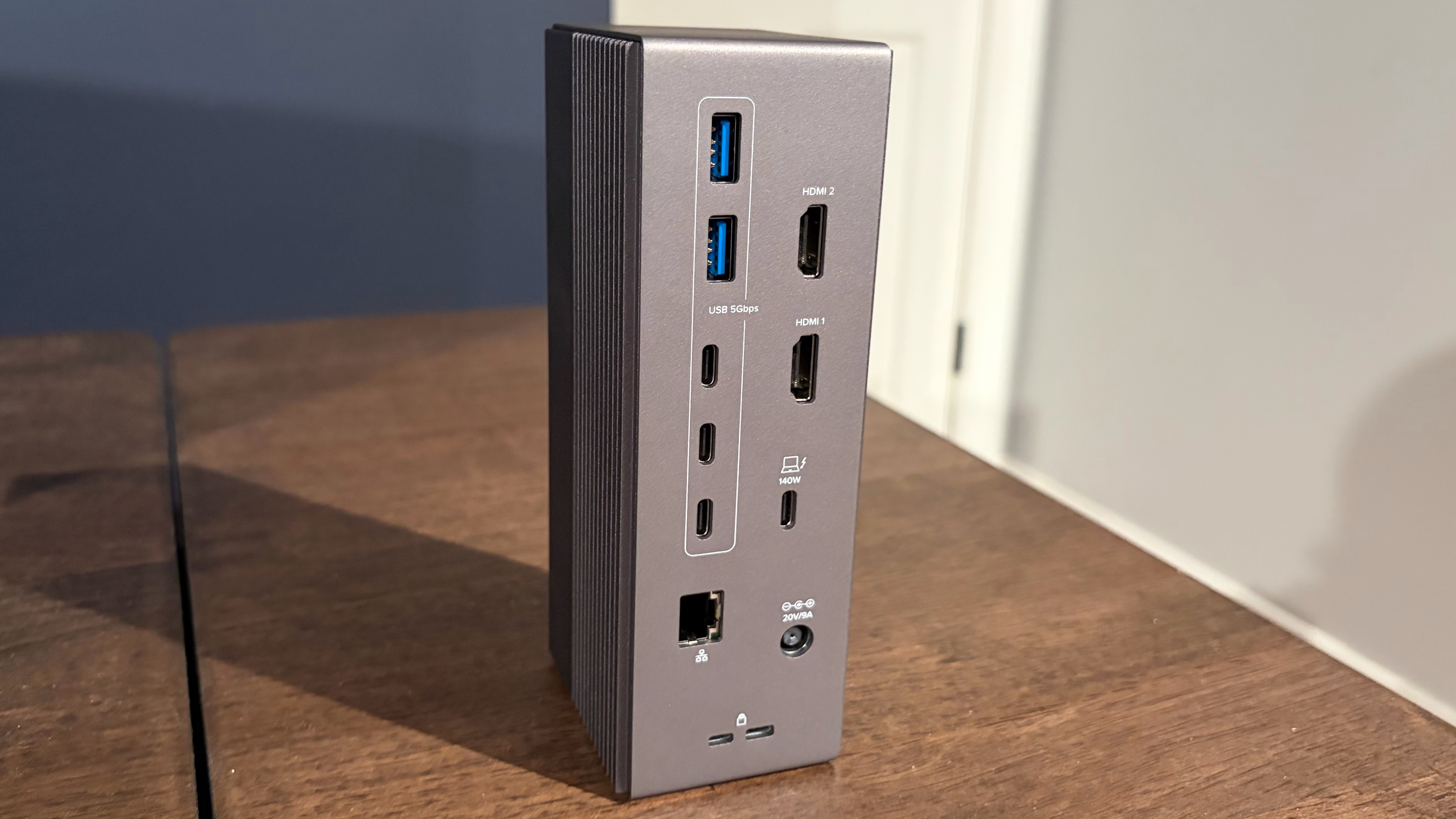
The UGREEN dock has three front USB-C ports, two of which together support 60W power delivery, plus SD and microSD UHS-II card slots and a 3.5 mm audio jack. On the back, it provides three USB-A 10 Gbps ports, two more audio jacks, 2.5 GbE Ethernet, DisplayPort 2.1, two downstream Thunderbolt 5 ports and one upstream Thunderbolt 5 port with 140W charging for the host laptop.
Tom’s Hardware also noted that the Revodok Maxidok uses an internal fan. The tester said the fan was not audible during normal use and was only barely audible with an ear placed close to the dock. The dock ran warm, as Thunderbolt docks tend to do, but was reported as noticeably cooler than the other two models.
How Keychron and Plugable compare
Keychron’s TB5D-1 is the stronger HDMI option in this group. It includes two HDMI 2.1 ports, two downstream Thunderbolt 5 ports, 2.5 GbE Ethernet, SD and microSD UHS-II readers, a front USB-C 10 Gbps port, four USB-A 10 Gbps ports and 140W host charging through its upstream Thunderbolt 5 connection. Keychron also put rubber feet on the bottom and side, so the dock can sit vertically or horizontally.
Plugable’s TBT-UDH2 also has two HDMI 2.1 ports and 2.5 GbE Ethernet, but Tom’s Hardware criticized its single downstream Thunderbolt 5 port, which sits on the front. Its port mix includes five downstream USB-C ports split between 10 Gbps and 5 Gbps speeds, three USB-A ports, SD and microSD UHS-II slots and a 3.5 mm audio jack. Like the others, it can charge the host at up to 140W.
What the storage and display tests showed
Tom’s Hardware tested storage using a 1TB Micron 2500 PCIe 4.0 SSD rated for up to 7,100 MBps sequential reads and 5,800 MBps sequential writes. As a baseline, the SSD reached 6,674.53 MBps reads and 5,628.61 MBps writes in an Asus Z890 Creator WiFi motherboard’s onboard PCIe 5.0 M.2 slot.
In the docks, UGREEN’s built-in M.2 slot produced the fastest read result at 5,780.54 MBps, about 300 MBps ahead of the Keychron and Plugable setups. The Keychron and Plugable docks were tested using an Orico Thunderbolt80G enclosure and landed around 5,400 MBps reads and 4,200 MBps writes, according to Tom’s Hardware.
All three docks saturated their 2.5 GbE Ethernet ports in iPerf3 testing. Tom’s Hardware also reported no compatibility problems driving a 49-inch 240 Hz DQHD monitor through the docks’ HDMI or DisplayPort outputs.
The practical split is clean: UGREEN offers the broader feature set and built-in storage bay, Keychron is the better fit for users who want dual HDMI plus two downstream Thunderbolt 5 ports, and Plugable trails mainly because one downstream Thunderbolt 5 port is stingy at this price.
This story draws on original reporting from Tom's Hardware.