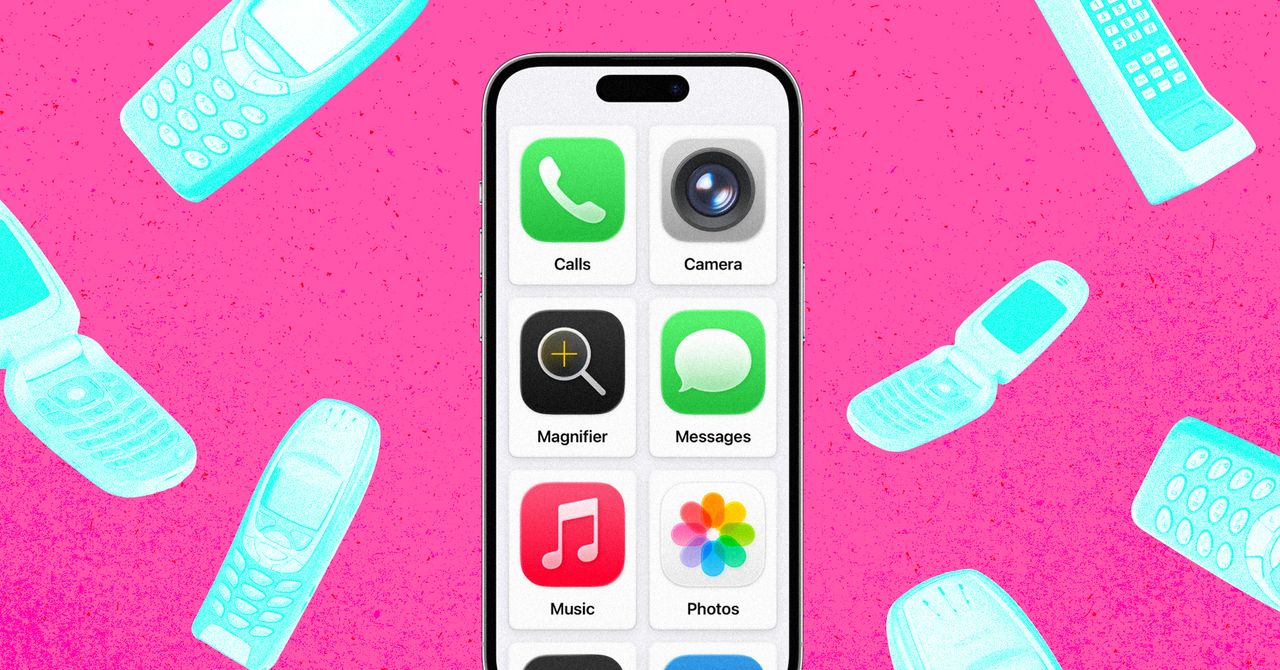
Apple already ships a way to turn an iPhone into a tightly limited handset for a child, according to WIRED senior innovation editor Jeremy White. The odd part is that the control does not live in Screen Time, Apple’s family-management area. It sits in Accessibility, under a feature called Assistive Access.
Apple introduced Assistive Access with iOS 17 for people with cognitive disabilities. Its job is to replace the standard iPhone interface with a simpler one: larger app tiles, fewer controls and a narrower set of available actions. White used it for a different problem: giving his son a phone for school travel without handing over a full browser, social apps and the rest of the pocket casino.
The mechanism is blunt in a useful way. In Assistive Access, a caregiver chooses which apps appear in the simplified interface. If Safari, Chrome or another browser is not added, the browser is not available. White reported that links sent through Messages behave as plain text in this mode, because Assistive Access is designed to stop accidental jumps out of the simplified interface.
How the lock-down works
Apple’s setup path, according to its support documentation and White’s testing, starts in Settings, then Accessibility, then Assistive Access near the bottom of the menu. The person configuring the phone chooses a layout, such as rows or a grid, and then adds approved apps one by one.
For communications apps, the controls go further. White wrote that Calls and Messages can be limited to everyone, contacts only or selected favorites. The setup also offers options such as whether the phone keypad or speaker is available, whether time appears on the lock screen, how notifications show up and whether the mute switch works. In Music, access can be limited to approved playlists.
White’s test phone was an old iPhone 13 configured with six apps: Calls, Messages, Maps, Camera, Photos and Music. That kept navigation and Apple’s Find My tracking available while excluding web browsing. He said he may later add Wallet, Safari, Spotify or games as his child gets older.
Assistive Access uses its own four-digit passcode. To leave the mode, a user triple-clicks the side button on Face ID iPhones or the Home button on Touch ID models, then enters that code. Without it, White reported, his child could not reach normal iOS settings or the broader system interface.
Why this is not just Screen Time
White’s complaint with Apple’s standard child controls is that restricting Safari does not fully solve browser access, since children can get links through messages. He also noted that third-party “dumb phone” apps exist for iPhone and Android, but those products charge users to remove functions from devices they already own.
Apple helped White with technical questions, he wrote, but declined to answer why it does not market Assistive Access as a child-phone setup or whether it has considered a dedicated children’s version. White also reported that an Apple Store support worker he showed the setup to said staff were not trained on Assistive Access.
There are caveats. White found Assistive Access sluggish. He also wrote that it overrides Screen Time limits, which matters if parents later add apps such as Safari or WhatsApp. An iPhone cannot be powered off while it remains in Assistive Access, so it must be returned to normal iOS first.
White also reproduced a bug in which Messages froze after heavy emoji searching inside Assistive Access. The other approved apps kept working, but fixing Messages required leaving Assistive Access and turning it back on, something a child without the passcode could not do.
Apple’s next Screen Time redesign, due with iOS 27 in September according to WIRED’s WWDC 2026 coverage, is expected to add a feature Assistive Access already demonstrates: removing Safari from a child profile. Until then, the stronger tool is hiding in the menu Apple built for accessibility, which is useful and, very Apple, under-explained.
This story draws on original reporting from WIRED.