WIRED senior writer Simon Hill’s guide to the best ethernet switches points home users toward inexpensive Netgear and TP-Link hardware, with a fairly sane warning baked in: your shiny router or mesh kit may be fast, but it probably does not have enough Ethernet ports for the gear that should be wired.
Hill, who WIRED says has covered technology for around 20 years, says he tested several switches and recommends them for jobs where Wi-Fi is the wrong tool: wiring a TV to cut buffering, building a wired backhaul for a mesh system, connecting network storage, or running security cameras that can take data and power over one cable.
The basic mechanism is dull, which is a compliment. An Ethernet switch takes one network connection and gives you more local wired ports. Plug the switch into your router, then plug devices into the switch. The switch moves traffic between those devices and the wider network without asking your Wi-Fi to cosplay as structured cabling.
Which Ethernet switch should I buy for a home network?
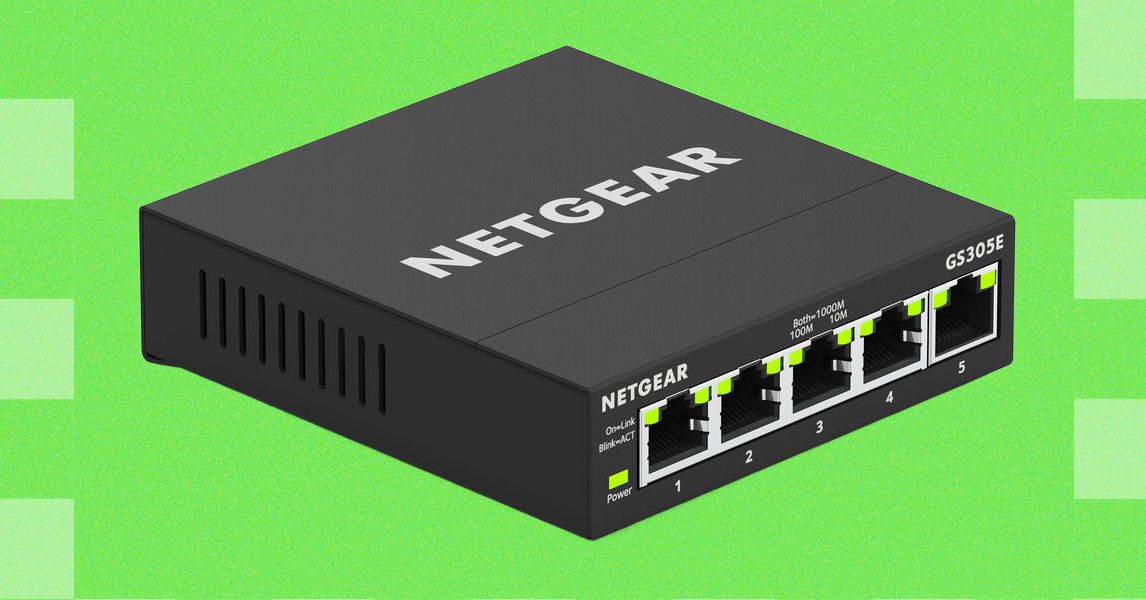
For a small, no-settings-required setup, Hill recommends Netgear’s GS305, a five-port Gigabit switch listed at $16 on Amazon. He describes it as an unmanaged, plug-in-and-go box with a compact metal case, a silent fanless design, wall-mounting support, a power adapter, and status LEDs for each port.
For more ports and light configuration, WIRED highlights Netgear’s GS308E, an eight-port Gigabit Ethernet Plus switch. Hill says each port supports up to 1,000 Mbps, and the device can run without setup. It also offers a browser-based interface for people who want to configure VLANs, Quality of Service, port mirroring, and other features usually filed under “yes, this can ruin your afternoon if you click randomly.”
WIRED’s budget pick is TP-Link’s TL-SG108S, an eight-port Gigabit switch listed at $25 on Amazon. Hill says he has used it for several months with security camera hubs, NAS devices, and a Sonos speaker. He also notes that a colleague has used TP-Link’s TL-SG1008D for years and reports that it works well.
For cameras or access points that need power from the network cable, Hill recommends TP-Link’s TL-SG1008P V4, an eight-port Gigabit PoE switch listed at $41 on Amazon after a discount. Four of its ports can provide Power over Ethernet, up to 30 watts each and 64 watts total, while also carrying data. Hill says the unit is silent and tidy, with front LEDs and rear ports, but can run warm because it has no fan.
What should buyers check before choosing a switch?
Hill’s buying advice starts with port count. Switches can range from four ports to 24 or more, but one port is consumed by the link back to the router. WIRED suggests leaving a couple of empty ports for future devices, because home networks have a way of breeding little boxes with blinking lights.
Speed is the next filter. WIRED says most home switches are Gigabit models, capping each port at 1 Gbps, though real throughput can also be constrained by the switch’s backplane and by the internet connection. Local transfers between devices on the same network can still benefit from faster internal networking even when the internet plan is slower.
Hill says most home users should buy unmanaged switches to avoid needless setup. Managed switches make sense if you want to monitor traffic, limit bandwidth, prioritize some devices, or isolate gear such as security cameras using VLANs. “Smart” switches sit between those categories: they work out of the box but expose some configuration options.
For PoE, WIRED says buyers should check both the number of powered ports and the total power budget. The guide lists PoE at 15 watts, PoE+ at 30 watts, and PoE++ standards at 60 or 90 watts, with some power lost before it reaches the device. Hill also recommends using Ethernet cables capable of handling the load, and says an Amazon Basics Cat6 patch cable is fine for data up to 1 Gbps.
This story draws on original reporting from WIRED.