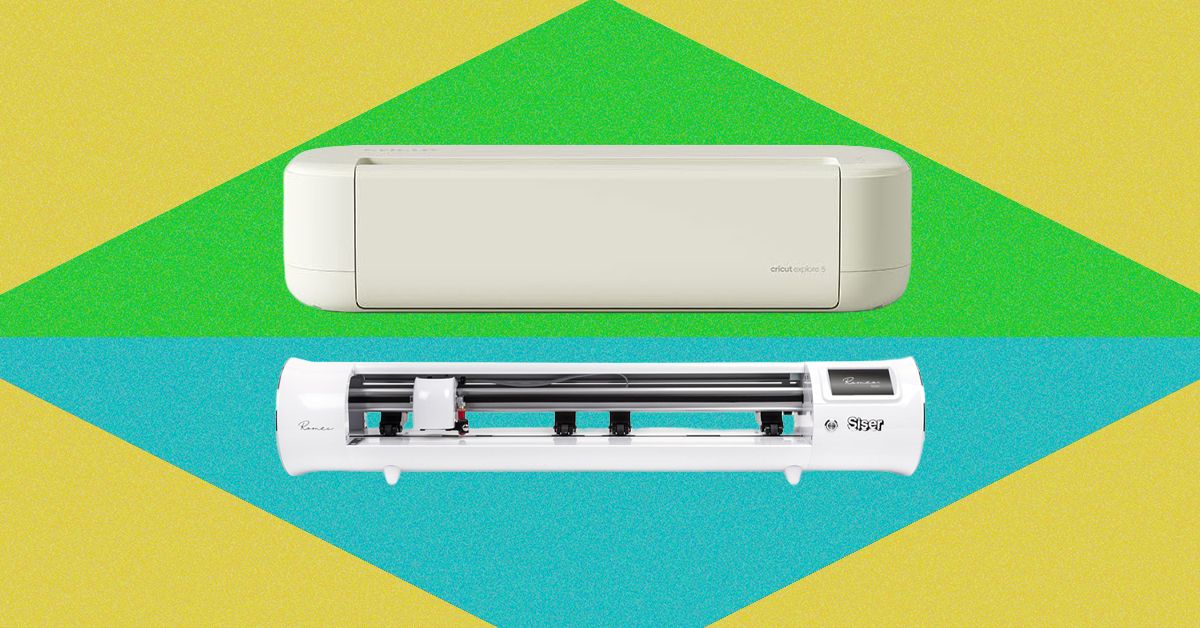
WIRED’s Cricut Explore 5 vs Siser Romeo testing found two smart cutting machines aimed at different buyers, despite both handling materials such as vinyl and cardstock. The practical split is workload: Cricut’s machine is for fast, guided home projects, while Siser’s larger cutter is for people making repeat runs, especially heat-transfer vinyl.
The Cricut Explore 5 costs $199 for the machine alone, or $250 for the bundle WIRED tested with mats, tools, and vinyl. The Siser Romeo was tested at $600. That price gap buys different hardware, different software assumptions, and a very different tolerance for fussing with settings. Craft machines: still printers with knives, somehow less forgiving.
Should you buy Cricut Explore 5 or Siser Romeo?
WIRED’s testing points to the Explore 5 for casual users making cards, bookmarks, decals, banners, cups, and the occasional shirt. The Romeo makes more sense for higher-volume work, such as cutting many shirt transfers or decals in one session, where material handling and repeatability matter more than a hand-holding app.
During several weeks of testing, WIRED cut layered cardstock bookmarks, heat-transfer vinyl hoodies, vinyl-decaled cups, and bonded cotton appliqué pieces on both machines. The appliqué testing required aftermarket blades, according to WIRED.
What Cricut Explore 5 offers
The Explore 5 has a 12-inch cutting width, supports matless cuts up to 12 feet with Cricut’s Smart Materials, and is rated for 1,000 grams of cutting force. It connects over Bluetooth or USB-C to a computer. The machine measures 19.8 by 7.5 by 4.7 inches and weighs 10 pounds.
Cricut’s biggest advantage, according to WIRED, is the surrounding system. Design Space is free and includes user-made projects that can be customized and sent to the cutter with guided steps. Cricut Access is optional at $9.99 per month or $95.88 per year.
The Explore 5 also uses Cricut’s Load and Go setup: place material on a mat, or skip the mat with Smart Vinyl, feed it in, and press the lit Go button. WIRED found the clamshell body useful in a craft space because it protects the blade area from dust and loose threads, and the compact size let it sit on a desk rather than demand its own production shrine.
There were problems. WIRED reported uneven cardstock results even with a fresh sticky mat, including a detailed floral bookmark that needed cleanup. Sharpening the blade with foil and wiping it with rubbing alcohol helped, but some edges still needed an X-Acto knife. Bluetooth also dropped occasionally between finishing a Design Space project and sending it to the machine, though WIRED said it did not happen midcut.
What Siser Romeo offers
The Siser Romeo is much larger: 36.25 by 7.75 by 7.5 inches, with a 21-pound body, 25-inch cutting width, and matless cutting up to 15 feet. It is rated for 800 grams of cutting force and connects over Wi-Fi. Siser’s Leonardo Design Studio Basic is free, while Leonardo Design Studio Pro costs $9 per month or $97 per year.
WIRED found the Romeo better suited to production-style work. Adjustable pinch rollers mean most materials do not need a cutting mat, and users can feed vinyl from the back rather than trimming it into smaller sheets first. Its tiling feature can fill available material with duplicate designs, which is useful for batches of identical decals or shirt transfers.
The Romeo also includes a built-in registration camera that reads print-and-cut marks, and WIRED said users can save project settings as presets after lining up a cut. That is the machine’s pitch in plain terms: fewer cute prompts, more control. The trade-off is size, cost, and a workflow aimed at people who already know why they need a 25-inch cutter.
This story draws on original reporting from WIRED.