OpenAI has begun fixing its redesigned ChatGPT desktop app after feedback on a launch that left basic ChatGPT behavior split across versions. Thibault “Tibo” Sottiaux, an OpenAI engineering lead, said on X that the company “didn’t get totally quite right on the first try” and has made changes to the desktop app.
The most obvious fix is that ChatGPT conversation history and projects now appear in the desktop sidebar. Sottiaux also said Chat and Work history now sync across the web, mobile, and desktop versions of ChatGPT. Local tasks, he said, remain stored on the user’s computer.
That matters because the redesigned desktop app had separated behavior that ChatGPT users reasonably expect to travel with them. If the same account can carry chats across a browser and phone, a desktop app without that continuity is less an upgrade than a compatibility problem with a nicer icon.
OpenAI also changed how the desktop app handles its two modes. Sottiaux said users can now switch more easily between Chat and Work inside ChatGPT on desktop, matching the way those options appear on web and mobile. In practice, OpenAI is putting the “chat” part of ChatGPT back where users can find it.
ChatGPT Classic is now the old app’s name
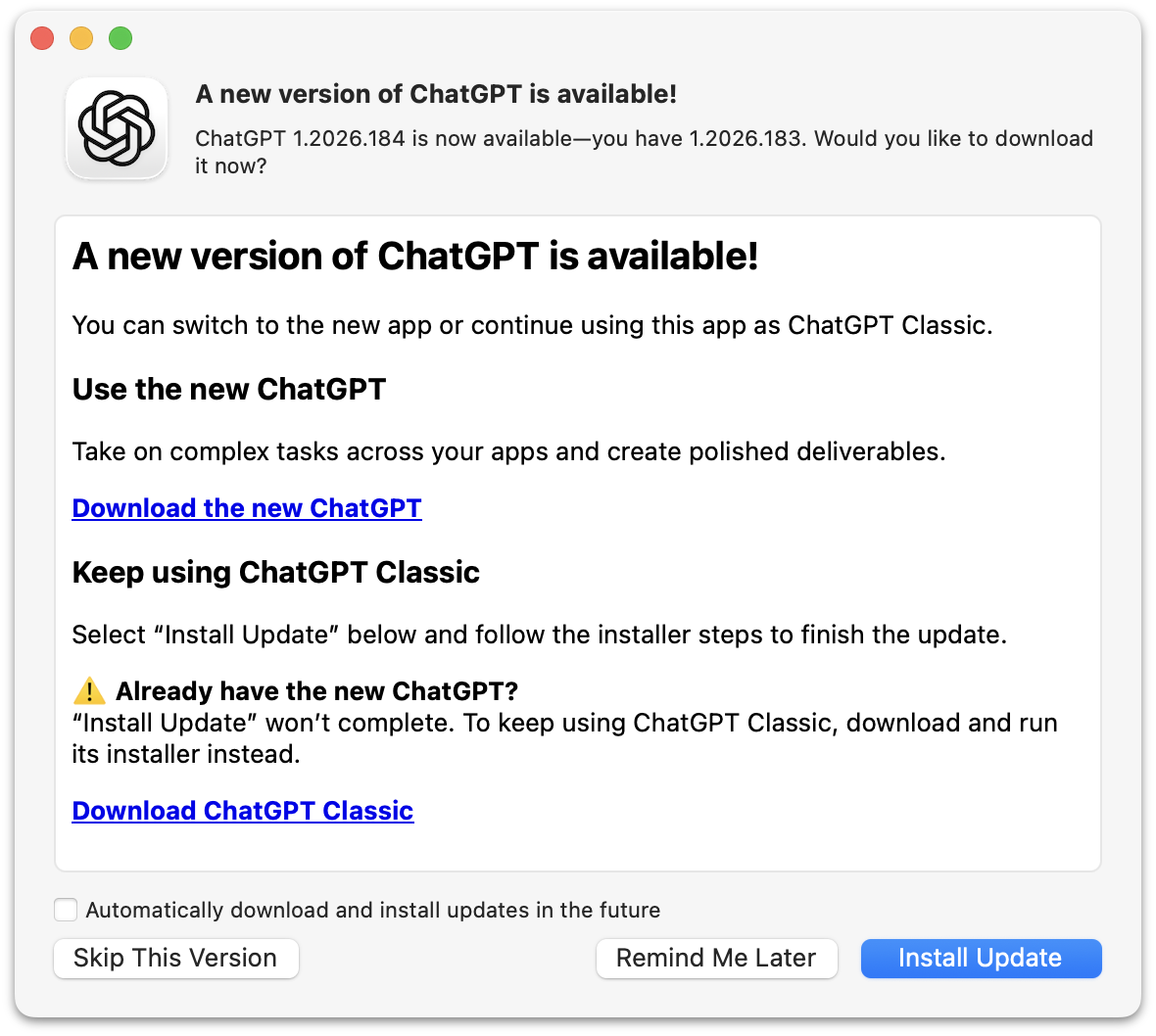
The cleanup is not limited to the new app. The older ChatGPT desktop app has been renamed ChatGPT Classic, according to the update dialog shown in the previous version of the app.
The update path is messy. Daring Fireball reported that if a user has ever installed the new ChatGPT app, the “Install Update” button inside the older app’s update dialog will not install the Classic version. It will run for a while, then quit ChatGPT without completing that update.
Users who have not installed the new ChatGPT app can use that dialog to update the older desktop app to the current version, now called ChatGPT Classic. Users who tried the redesigned app need to install ChatGPT Classic manually, even if the update prompt appears inside the older app they want to keep.
OpenAI now provides a supported installer for ChatGPT Classic through a package hosted at persistent.oaistatic.com.
The redesigned app also remains a large desktop download. Daring Fireball described it as a 1.5 GB app and criticized OpenAI’s use of a heavy desktop architecture, pointing to OpenAI’s own writing about building ChatGPT Atlas. The exact implementation detail matters less to users than the result: a desktop client that arrived with missing sync, a confusing mode layout, and an update path that now requires a compatibility label for the previous version.
OpenAI has fixed some of the immediate problems Sottiaux acknowledged on X. The company has not, based on the changes described, fully simplified the split between the redesigned ChatGPT app and ChatGPT Classic.
This story draws on original reporting from Daring Fireball.