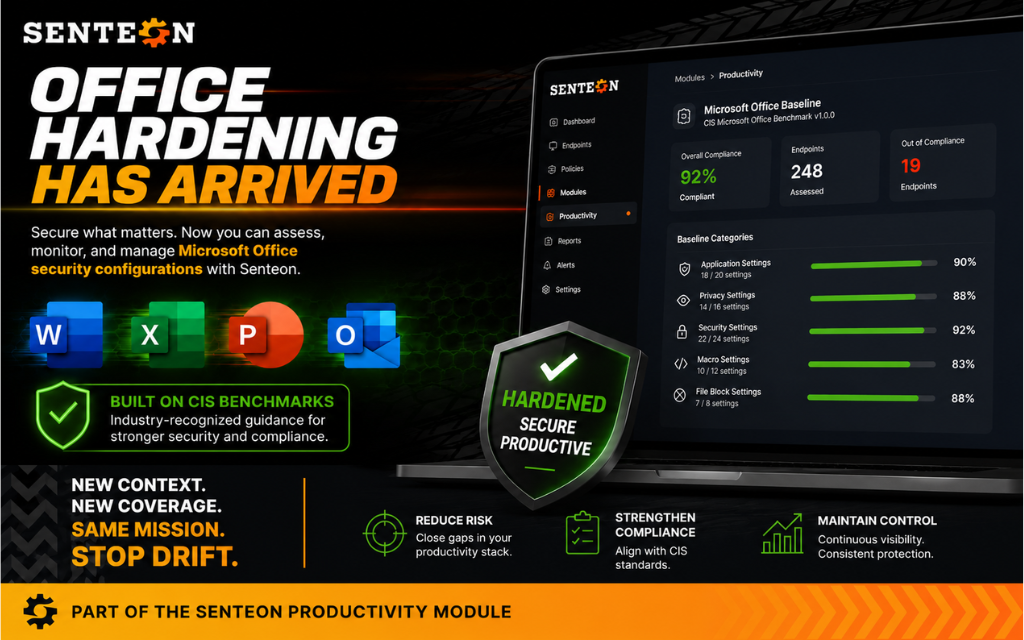
Senteon has extended its automated endpoint hardening platform to Microsoft Office, adding a new Productivity Hardening module for enterprise IT and security teams that want Office settings treated like part of the endpoint security baseline, rather than a pile of policy exceptions nobody wants to touch.
Senteon said the release introduces 213 Microsoft Office security settings aligned with CIS Benchmarks. The company said the addition brings its platform to more than 3,000 automated security configurations across Windows operating systems, Office, web browsers and other endpoint components.
The move targets a familiar weak spot. Word, Excel, Outlook and PowerPoint sit on a large share of enterprise desktops, and attackers have long used Office configuration choices, macros and user behavior as paths into corporate systems. Organizations often harden Windows and browsers first. Office can be left to manual Group Policy objects, scripts and spreadsheet-driven compliance checks, which is where configuration drift tends to breed.
The new module is meant to apply and enforce Office settings continuously. That means the platform checks whether endpoints still match the approved configuration and restores settings when they change without authorization, rather than treating policy deployment as a one-time event.
Henry Zhang, Senteon’s CEO, framed the release as an expansion of endpoint hardening beyond the operating system. “Every endpoint is more than just an operating system,” Zhang said. “Microsoft Office is where employees spend much of their day and where attackers frequently attempt to gain a foothold.”
Office joins the hardening queue
CIS Benchmarks are used by many security teams as standardized configuration baselines. In practice, that can include locking down risky application behavior, reducing exposure from macro-related features and keeping users from inheriting inconsistent settings across devices. The interesting part is less the existence of another checklist and more whether the checklist stays applied after help desk fixes, user changes, software updates and policy collisions.
Senteon’s Microsoft Office hardening module is designed to maintain consistent Office baselines across users and devices. The company said it can automatically apply the 213 settings, monitor endpoints for unauthorized changes, remediate drift and support compliance efforts with standardized configurations.
For IT teams, the pitch is operational as much as defensive. Manual Group Policy management and scripts can work, but they require maintenance, testing and periodic verification. Automated enforcement shifts some of that work into a platform that continuously compares live endpoint state against an approved baseline.
That does not remove the need for security teams to decide which settings fit their environment. Macro controls, for example, can reduce a well-known attack surface, but some organizations still depend on Office automation for business workflows. A hardening tool can enforce policy; it cannot decide risk tolerance by itself.
The Office hardening capability is available immediately as part of Senteon’s Productivity Hardening module, according to the company. Zhang said the release is part of Senteon’s broader plan to automate endpoint security and reduce configuration drift across enterprise environments.