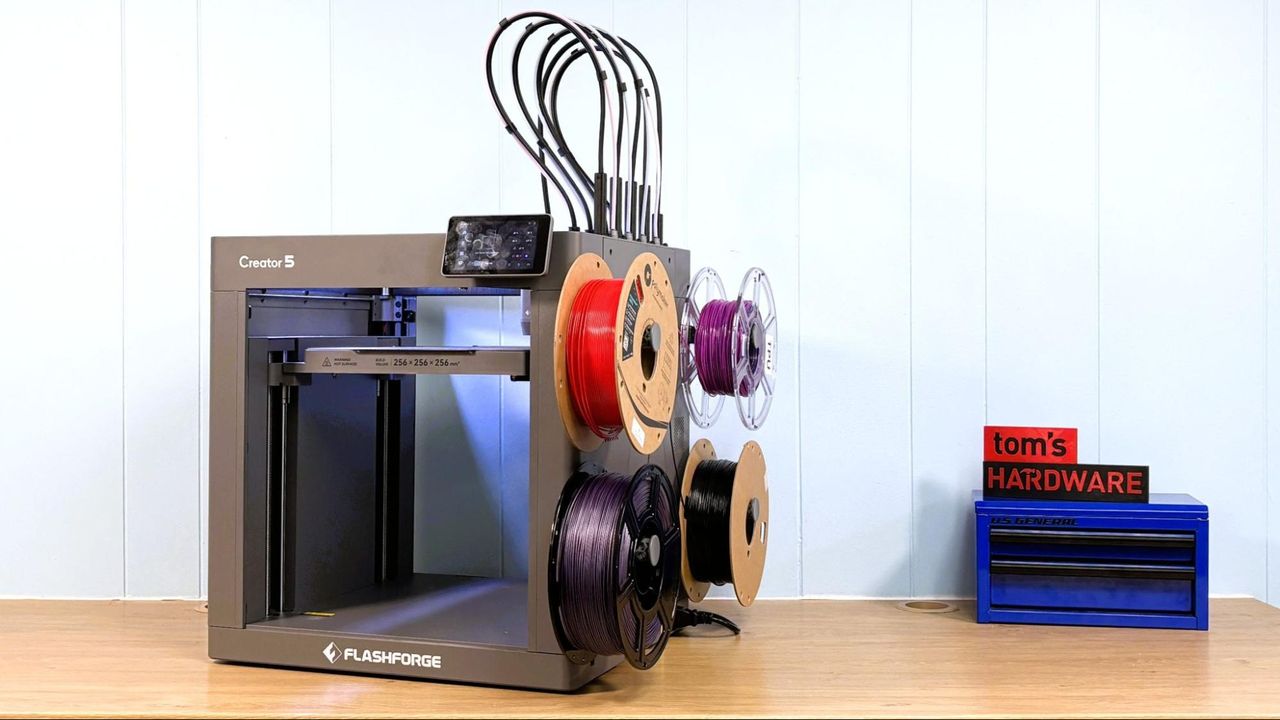
Flashforge’s Creator 5 is being positioned as a cheaper way into multi-material 3D printing, and Tom’s Hardware’s review says the machine mostly earns that pitch. The printer was listed at $699 during the review, after a $100 discount, with an $799 MSRP.
That price buys an open-frame Core XY printer with a 256 x 256 x 256 mm build volume and four direct-drive tool heads. Tom’s Hardware called it the best budget tool changer available, while noting that the category is still tiny. The review counted only two other true tool-changing machines, plus Bambu Lab’s H2C if nozzle swapping is included in the comparison.
The appeal is straightforward: separate tool heads can switch colors or materials without forcing one nozzle to handle every change. Flashforge’s implementation keeps the hardware relatively simple. The carriage carries the extruder motor and part-cooling fan, while each lightweight tool head includes its own hot end, manual cutter, and fan. The heads dock magnetically, then the carriage grabs a round rear feature and aligns the head with three pins.
Tom’s Hardware said that less elaborate pickup system worked reliably in testing. The tradeoff is that the machine still asks the user to do a fair amount of work by hand.
Simple hardware, stubborn waste
The Creator 5 arrives mostly assembled. The touchscreen plugs directly into the printer and mounts with two screws. The tool heads come prewired on a mounting plate, spool holders attach to the side, and the printer includes a tool kit, filament coils, and a quick-start guide.
The review found the larger annoyance in the slicer. Flashforge requires Flash Studio, a slicer based on Orca Slicer, with lineage from Bambu Studio and Prusa Slicer. It supports cloud and LAN connections, and files can also move by USB drive. Flashforge does not provide direct browser access to the printer by IP address, according to Tom’s Hardware.
The ugly bit is purging. Tom’s Hardware said the Creator 5 unloads a lot of material during loading and requires a large prime block during multi-color jobs. The reviewer found that Flashforge had tuned purge behavior for its own filament profiles, while other materials used settings closer to single-nozzle multi-material systems. In one four-color PLA print, the purge block weighed 44 grams, more than the 33-gram model.
Materials and limits
The open frame limits what the Creator 5 is suited to print. Tom’s Hardware used PLA, PETG, and TPU for most testing, while also reporting that PET-GF printed successfully at 310 degrees Celsius. The hot end is rated up to 320 degrees Celsius and the bed up to 120 degrees Celsius.
Flashforge also sells an enclosed Creator 5 Pro, but Tom’s Hardware found no upgrade path from the open machine to the enclosed one. Although the case appears similar, the review said there is no fan behind the exterior grille and no way to install one.
Other reported specifications include:
- Double-sided textured PEI spring steel build plate
- Automatic bed leveling with Z-height calibration
- Filament runout sensor
- USB, LAN, and Wi-Fi connectivity
- 4-inch color touchscreen
- 14 kg machine weight
- June 2026 pre-order release date listed in the specifications
Calibration took about 40 minutes during initial setup, according to Tom’s Hardware, including Z offset, bed leveling, vibration compensation, and tool-head offset calibration. The printer can also recheck leveling before each job.
Loading filament is more manual than the price and four-tool setup might suggest. The user places a spool on a static holder, feeds filament into the numbered path, removes the tool head from its dock, presses a lever to release tension, and pushes material into the head. The printer then heats to the previous material’s loading temperature and purges material into the bottom of the machine.
In print tests, Tom’s Hardware reported strong PLA results, a successful but imperfect soft TPU attempt that ended with a clog requiring tool-head disassembly, and a better 95A TPU print with minor stringing. The verdict was not that Flashforge solved multi-material printing. It was that the Creator 5 makes real tool changing cheaper, with enough manual fuss and filament waste to remind buyers where the savings came from.
This story draws on original reporting from Tom's Hardware.