ChatGPT Chrome tabs are now part of OpenAI’s pitch for its browser extension. The company says an October 15 update lets ChatGPT use information from tabs already open in Google Chrome when a user tags Chrome in ChatGPT’s web or desktop app, according to The Verge.
That means the chatbot can be asked to compare material across several pages without the user copying each page into a prompt. In an OpenAI demonstration cited by The Verge, ChatGPT compared sofa options across three open tabs. That is a capability claim from OpenAI, not an independent test of how reliably the feature works on ordinary browsing sessions.
The update splits into two related functions: using open-tab content as context for an answer, and having ChatGPT Work take actions in Chrome. The distinction matters. Reading information across tabs can support a comparison or summary; controlling a tab can change something in the browser.
What can ChatGPT do with Chrome tabs?
OpenAI’s sample prompts include pulling vendor pricing, features and links from multiple tabs into a comparison sheet; comparing contractor services and drafting an email to one contractor; and filling in an appointment form while stopping short of submission, The Verge reported.
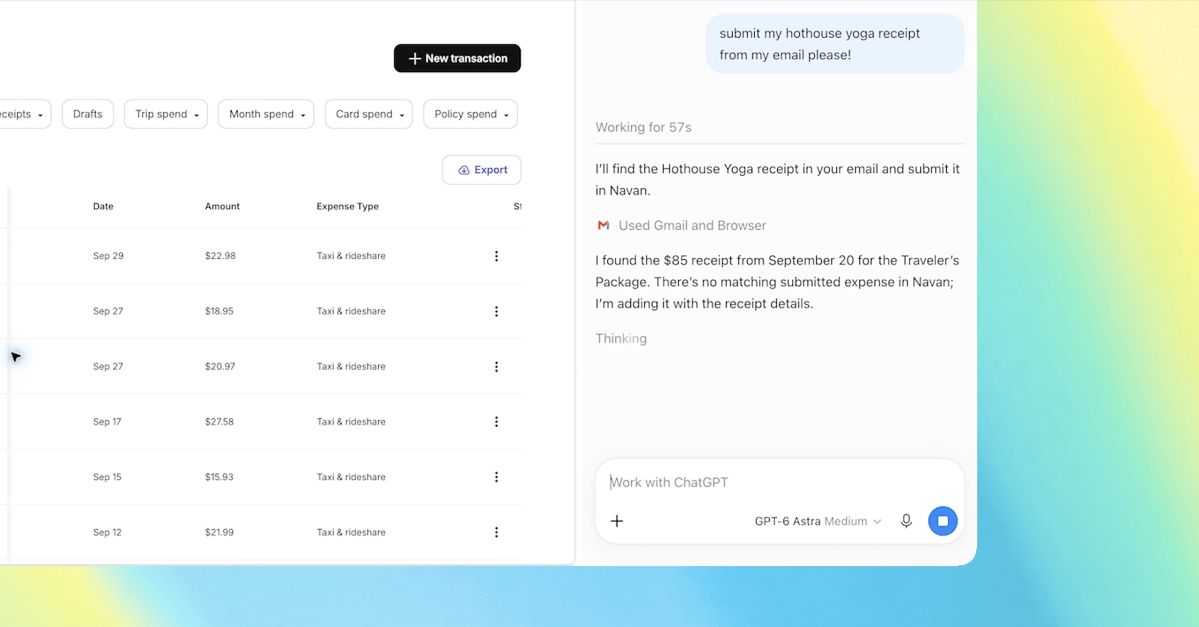
For users running ChatGPT Work, OpenAI says the tool can control Chrome tabs to send messages, complete forms, download files, and arrange or group tabs. Those examples describe what OpenAI says the product can do, rather than a guarantee that it will complete every multi-step task correctly. A form-filling assistant is especially worth checking before it reaches anything sensitive or irreversible.
The company also updated ChatGPT’s Chrome sidebar. The Verge reported that it now puts ChatGPT conversations and the company’s Chat or Work modes beside the page currently being viewed, so a user can consult the assistant without leaving that page.
What remains unclear about the Chrome extension?
The available reporting does not spell out the permissions Chrome presents for this access, whether ChatGPT asks for confirmation before reading a tab or acting on it, or how people can limit access to particular sites. It also does not establish which plans, regions, operating systems, or users can receive the update.
Privacy details are missing too. The reporting does not specify what tab information may be retained in a ChatGPT conversation, whether it is stored separately, or how long it is kept. Those are not minor footnotes when open tabs can include email, work systems, banking sessions, medical portals, and other material a person did not intend to paste into a chatbot.
The Verge compared the action-oriented portion of the update with Google’s Gemini-powered “auto browse” feature. The report did not provide a feature-by-feature comparison, so the overlap appears to be the broad idea of an AI assistant operating inside browser pages rather than proof that the two systems behave the same way.
This story draws on original reporting from The Verge.